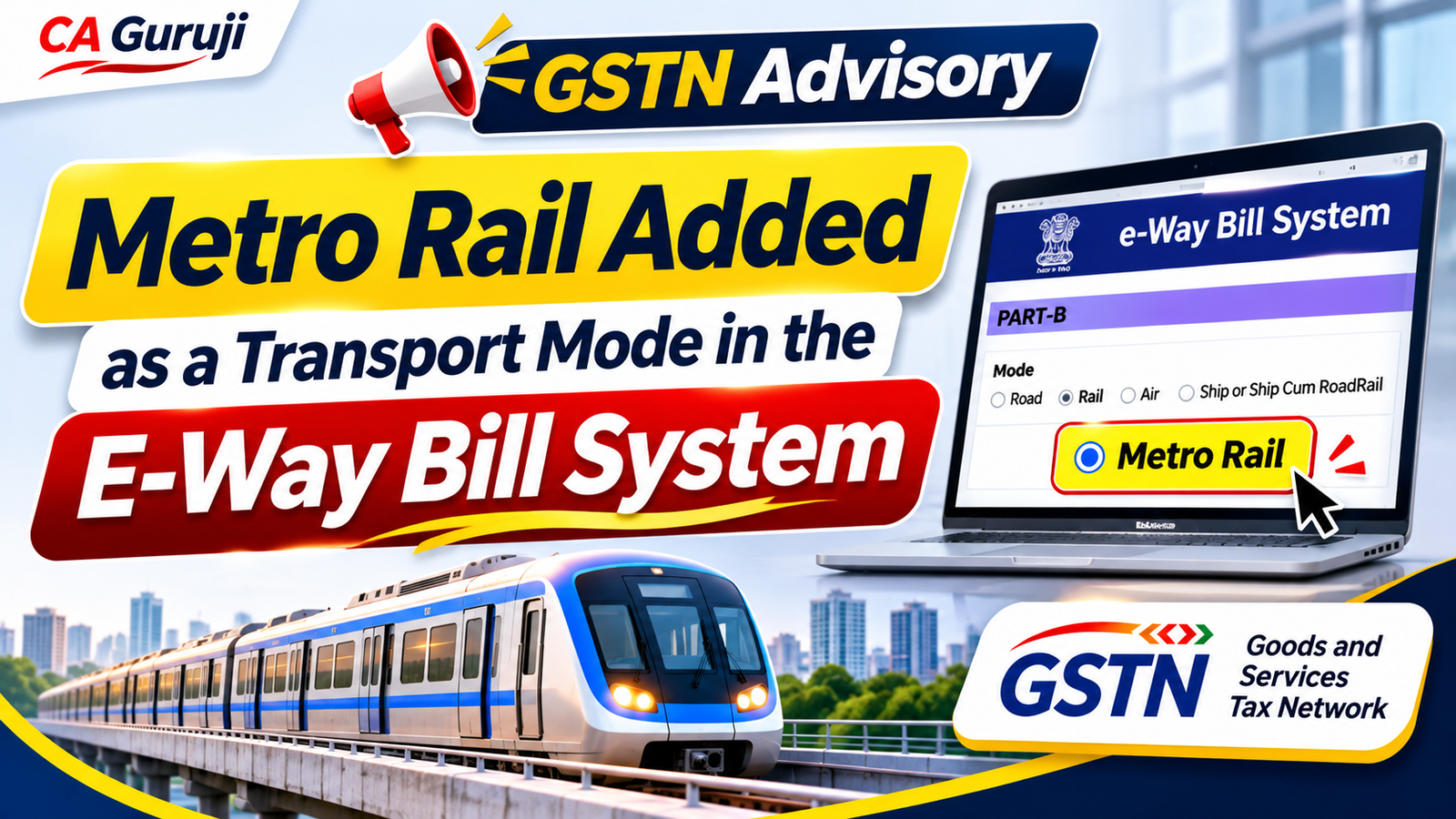
Goods moved by Metro Rail can now be shown as a separate transport mode on the E-Way Bill portal. GSTN announced this in an advisory dated 20 November 2026. Until now, the portal offered only four modes: Road, Rail, Air, and Ship or Ship cum Road/Rail. Metro Rail is now a fifth option.
The change follows the amendment to Rule 138(2A) of the CGST Rules made by Notification No. 05/2026–Central Tax, effective from 1 November 2026. Web users can use the option right away. API users can test it in the sandbox for now.
In this article we explain:
- the legal basis
- where the new option appears
- what to fill in when you choose it
- what taxpayers, transporters and software teams need to do
Legal basis: Rule 138(2A) and Notification 05/2026-CT
Rule 138(2A) of the CGST Rules covers goods moved by rail, air or vessel. For these modes, the registered supplier or recipient generates the e-way bill, and Part-B carries the transport document number instead of a vehicle number.
Notification No. 05/2026–Central Tax dated 26 October 2026 (the CGST (Amendment) Rules, 2026) brought Metro Rail within Rule 138(2A) from 1 November 2026. The 20 November advisory is the matching system change on the e-way bill portal.
In short, moving goods by metro now follows the same logic as moving goods by railways.
Where the Metro Rail option is available
The new mode works across all five e-way bill functions where you choose a transport mode.
| Function | Web | Excel | API |
|---|---|---|---|
| E-way bill generation | Live (production) | Available | Sandbox only |
| Part-B update | Live (production) | Available | Sandbox only |
| Vehicle update | Live (production) | Available | Sandbox only |
| Consolidated e-way bill generation | Live (production) | Available | Sandbox only |
| Consolidated e-way bill re-generation | Live (production) | Available | Sandbox only |
GSTN will announce the API production rollout separately. Until then, businesses that generate e-way bills through ERP or GSP APIs should use the web portal for Metro Rail consignments.
How to select Metro Rail on the portal
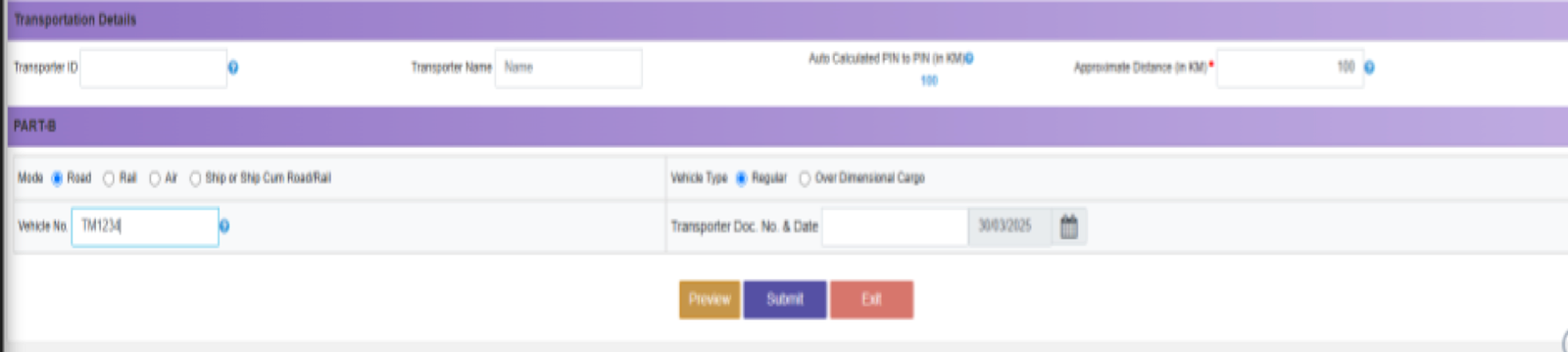
The Metro Rail option appears in the same Mode row where you choose Road, Rail, Air or Ship today. The screenshots below are from the e-way bill system (test data) and show where to make the change.
1. While generating the e-way bill (Part-B)
In the Part-B section, under Mode, select Metro Rail in place of Road. Enter the Transporter Doc. No. & Date; this is mandatory for Metro Rail. The Vehicle No. field is meant for road transport.
E-way bill generation, Part-B: the Mode row (Road / Rail / Air / Ship) is where Metro Rail now appears.
2. While updating Part-B or the vehicle
If goods move from road to metro mid-way, or Part-B was left blank, open Update Part-B/Vehicle. Select Metro Railunder Mode Of Transport, enter the Place of Change and Reason, and fill in the transport document number and date. Each change is recorded in the Vehicle Updation History.
Update Part-B / Vehicle screen: choose the mode, place of change, reason and transport document; changes are listed in Vehicle Updation History.
3. Check the printed e-way bill
After submission, the Part-B table of the e-way bill shows the Mode, the Vehicle/Trans Doc No & Date and the place. For a Metro Rail movement, make sure Mode shows Metro Rail and the transport document number is correct before the goods move.
Printed e-way bill: the Part-B table shows Mode and Vehicle / Trans Doc No & Date – check these for Metro Rail movements.
Key instructions from the advisory
The advisory sets three rules for Metro Rail consignments:
- Select Metro Rail as the mode. Do not show a metro movement as Road or Rail.
- The transport document number is mandatory. The system will not accept a Metro Rail entry without it.
- Fill in correct details before submitting. Check the transport document number, its date and the other transport details.
What Part-B needs for each mode
| Mode | Main Part-B detail |
|---|---|
| Road | Vehicle number (transporter document optional) |
| Rail | Railway receipt / transport document number and date |
| Air | Airway bill / transport document number and date |
| Ship or Ship cum Road/Rail | Bill of lading / transport document number and date |
| Metro Rail (new) | Transport document number and date (mandatory) |
Action checklist
Taxpayers (suppliers and recipients)
- Identify consignments that move, fully or partly, by Metro Rail.
- Select Metro Rail as the mode and keep the metro transport document handy.
- Brief the dispatch and logistics staff who generate e-way bills.
Transporters
- Use Part-B or vehicle update when a consignment shifts between road and metro.
- Issue a proper transport document number and date for every metro consignment.
ERP, GSP and API users
- Add the new mode code in your systems and test it in the sandbox (see the NIC e-way bill API documentation).
- Use the web portal for Metro Rail consignments until GSTN announces API production rollout.
Frequently asked questions
Q1. From when can I select Metro Rail? The legal provision applies from 1 November 2026 (Notification 05/2026-CT). The portal option was announced on 20 November 2026 and is live for web users.
Q2. Is a vehicle number needed for Metro Rail? The advisory makes the transport document number mandatory for Metro Rail. As with rail and air, the document number is the key Part-B detail.
Q3. Can I use the API to generate a Metro Rail e-way bill today? Not in production yet. The API facility is in the sandbox only. GSTN will announce the production rollout separately.
Q4. Goods travel by road to a metro station and then by metro. What should I do? Generate the e-way bill with Road for the first leg. When the goods are handed over to the metro, update Part-B with Metro Rail as the mode and the metro transport document number.
Q5. Can a consolidated e-way bill use Metro Rail? Yes. Consolidated e-way bill generation and re-generation both support the new mode.
Q6. What if I show a metro movement as Road? The advisory asks taxpayers to select Metro Rail where goods move by metro. Wrong Part-B details can lead to an e-way bill mismatch at the time of verification, so use the correct mode.
Metro Rail is now a legally recognised mode for moving goods under Rule 138(2A), and the e-way bill system has caught up. For web users the option is live today. Select Metro Rail and enter the transport document number whenever goods travel by metro. API users should finish sandbox testing so they are ready when the production rollout is announced.
For practical GST courses on e-way bills, returns and annual returns, visit cagurujiclasses.com. For daily GST and income tax updates, keep reading cagurujitax.com and subscribe to CA Guruji on YouTube.